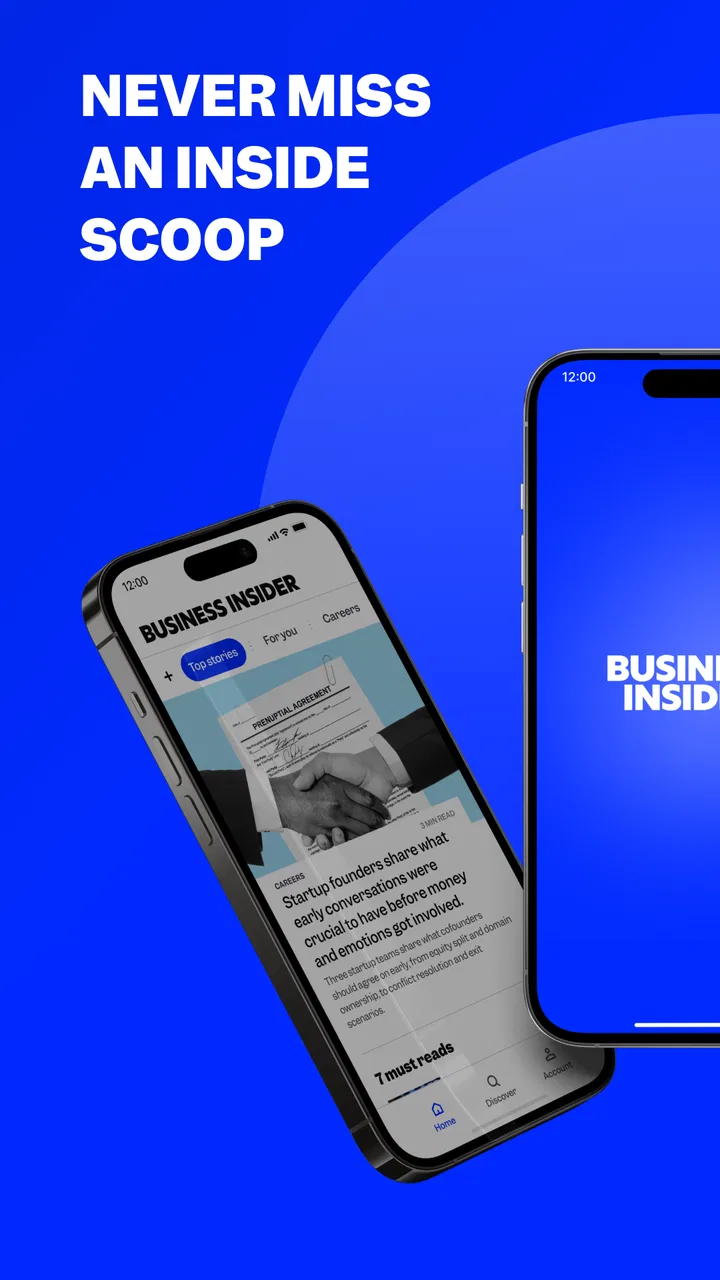
Business Insider: News & more
- 3.6
- Rating
- 1.00M
- Installs
- Free
- Price

 Analysis by App-foxy
I use Business Insider as a quick way to keep up with business news when I do not have time to sit down with a full newspaper or open several websites. It is a free news and magazines app from Business Insider, Inc., aimed at readers who want financial, technology, market, and company coverage in a compact mobile format. My overall impression is that it works best as a fast daily briefing rather than as the only source I would use for deep research.
The app has been available since January 27, 2012, and its current version is 16.7.0. That long presence matters because this is not an experimental newcomer; it is an established mobile product with a clear focus. It is rated for Everyone 10+ and supports Android 7.0 or later, so it remains accessible on many older phones as well as newer devices.
How Business Insider feels during everyday reading
I find that Business Insider works best when I treat a quick check as a way to choose what deserves my attention, not as a finished account of every business story. In this section, I focus on how that habit fits into an ordinary day and why the app’s business focus can save time while still calling for a little restraint.
You May Also Like

 Blood Strike: 2.5 Anniversary
Blood Strike’s Loadouts Turn Every Drop Into a Tactical Gamble
A close look at Blood Strike’s custom loadouts: how fast access to signature weapons reshapes its battle royale rhythm, rewards preparation, and narrows the gap between fights.

 Pandora - Music & Podcasts
Pandora’s Music Is Easy to Start, but Harder to Recover
Pandora’s strength is its low-effort path from a seed to a station. Its weak spot is how much confidence it asks you to place in connection, setup, and quiet recovery.

 8 Ball Pool
 Is Built on Rivalries, Rematches, and Routine
A close look at the rivalries, rematches, shared routines, and unanswered safety questions that turn a quick pool match into a persistent mobile community.

 Samsung Music
’s Quiet Strength Is Playing What You Already Own
Its reach comes less from spectacle than from dependable access to a personal library. That simplicity is both the app’s strongest retention engine and its ceiling.

 AccuWeather: Weather Radar
AccuWeather Review: A Quick, Clear Forecast for Everyday Decisions
For everyday plans, the best forecast is the one you can understand quickly. AccuWeather makes rain timing, radar, and local conditions easy to act on, with a few trade-offs.

 Hill Climb Racing
Why Hill Climb Racing Still Turns Crashes Into One More Run
A tiny car, a bumpy hill and one more upgrade: Hill Climb Racing keeps resurfacing because its simple chaos makes every near-miss feel personal.
More From Our News Desk



Quick access is the main reason to install it
The strongest part of the experience is the simple reading routine it encourages. I can open the app during a commute, between meetings, or while waiting for an appointment and get a sense of what is moving in the business world without building my own reading list from scratch. That makes it particularly useful for people who want a regular news habit but do not want a complicated interface.
In my experience, the perceived speed comes less from any single spectacular feature and more from the narrow purpose of the app. It is focused on business news instead of trying to be a general social feed, video platform, shopping service, and news reader at the same time. When I want headlines about companies, markets, technology, or the wider economy, that focus reduces the amount of searching I need to do.
I would still avoid treating every article as a complete explanation of a complicated event. Business stories often involve financial statements, regulation, economic indicators, and changing market conditions. A short mobile reading session can tell me what deserves attention, but I may need longer reporting or primary documents before making an investment decision or forming a firm conclusion.
What I do during a short reading session
My most useful workflow is to open the app with one question in mind rather than scroll without a purpose. For example, I might check whether a major company announcement is affecting the technology sector, look for the broader business story behind a headline, or scan for developments that could influence my work. This keeps the app from becoming an endless stream of partially read stories.
A practical tip is to separate quick awareness from deliberate reading. I first scan the available headlines, then choose only one or two pieces that seem relevant. That approach makes the app feel lighter and helps me remember what I read. If I simply move from one headline to the next, the convenience can turn into shallow consumption.
Another useful habit is to read beyond the first paragraph when the topic affects money, employment, or a company I follow. Business headlines are designed to be immediately understandable, but the important qualification may appear later in the article. The app is convenient for finding stories; it does not remove the need for careful reading.
Handling heavier use
The experience changes when I use it for a longer session. Reading several articles in a row places more emphasis on navigation, loading consistency, and how easily I can return to a story. A short check feels naturally suited to the app, while a long research session can feel less efficient than using a browser with multiple tabs or a dedicated reading service.
That trade-off is not necessarily a flaw. A mobile news app is most valuable when it reduces friction at the moment I need an update. It is less convincing as a replacement for a full desktop research setup. If I am comparing several companies, checking historical context, or keeping multiple sources visible at once, I would rather use a larger screen and a broader set of tools.
For heavy readers, I recommend creating a small routine instead of repeatedly refreshing throughout the day. Check the app at a few natural points, read the stories that matter, and then close it. This makes better use of its speed while avoiding the distraction that can come from turning every market movement into an urgent event.
Stability and recovery in real use
Business news is especially sensitive to timing. A reader may open an article because a company has just announced something or because markets are reacting to a new development. In those moments, reliability matters as much as the writing. My expectation from this app is that it should get me back to the relevant story without unnecessary effort.
When an app behaves well, recovery is almost invisible: I open it again, find the topic, and continue reading. If a session is interrupted by a phone call or another task, I prefer returning to the same subject rather than starting the whole search again. That is one reason I see this app as a useful companion for short, repeated visits rather than a tool I leave open all day.
There is also a human side to reliability. A news app can be technically available and still feel unreliable if its presentation encourages me to mistake a developing headline for a finished story. I use Business Insider as an early awareness tool, then slow down when the subject has consequences for my finances, work, or understanding of a major event.
Older phones and device limitations
The Android requirement of 7.0 or later is relatively approachable for users who have not replaced their phone recently. That makes the app more practical than products restricted to current operating-system releases. Still, the age of a device can affect the overall experience through storage pressure, background activity, screen size, and general responsiveness.
On a smaller display, business articles can require more scrolling, especially when the subject depends on several names, figures, or explanations. I find that manageable for a quick update but tiring when I am trying to understand a complex story. A larger phone or tablet is more comfortable for longer reading, while an older compact phone is best used for headlines and selected articles.
Resource demands are also relative. I would not expect a text-focused news app to behave like a demanding game, but every installed app competes for storage and attention. If a phone is already crowded or frequently struggling, the sensible choice is to keep only the news apps that genuinely fit the reader’s routine. Business Insider earns its place when its business focus is something I use regularly, not simply because it is free.
The app is free to install, which lowers the barrier to trying it. It also includes in-app purchases ranging from $9.49 to $99.99 per item. That is important for anyone who wants to use it without unexpected spending: I would review the purchase flow carefully and decide in advance whether the free experience meets my needs. A free download does not automatically mean every part of the reading experience has no paid path.
Who will get the most from it
I would recommend Business Insider to students studying business, professionals who need a quick awareness of corporate and economic news, entrepreneurs following industries, and casual readers who want more business coverage than a general news app usually provides. It is also a reasonable choice for someone who prefers opening one focused app instead of sorting through a broad homepage filled with unrelated subjects.
It can be useful in a realistic workday scenario. Imagine that I have ten minutes before a meeting about a technology supplier. I can use the app to check recent company developments, identify a few relevant themes, and arrive with better context. I would not use that short session to make a financial recommendation, but I could use it to decide which questions deserve attention during the meeting.
The app may also suit readers who are building a daily habit. The important point is consistency: a few intentional visits can help me notice recurring themes such as changes in an industry, leadership moves, market pressure, or technology competition. Over time, that pattern is more useful than reading one isolated headline and forgetting it.
Who should choose something else
I would look elsewhere if my priority were local reporting, politics in a particular region, sports, culture, or a broad mixture of breaking news. Business Insider’s identity is its advantage for business readers, but it is also the reason it may feel narrow to someone who wants one universal news source.
I would also choose a browser-based research workflow when I need to compare many sources side by side, search through a large archive, or keep detailed notes. A general news aggregator may be better for someone who wants stories from many publishers in one place. A financial data service may be more appropriate for users who need live market tools, structured company information, or professional analysis rather than article-based coverage.
Readers who dislike any paid options inside a free app should pay attention before committing to a long-term routine. The presence of in-app purchases does not make the app unsuitable, but it does mean I would not assume that every desirable reading path is handled in exactly the same way as a completely free news reader.
How it compares with common alternatives
Compared with a general news aggregator, Business Insider feels more deliberate because the subject area is already selected for me. That saves time when business is what I came to read, but it reduces variety. An aggregator can expose me to local, international, scientific, and cultural stories in the same session, while this app gives business topics a much larger share of my attention.
Compared with visiting the publication in a mobile browser, the app is more convenient for a repeated reading habit. I do not need to begin with a browser tab every time, and the dedicated format keeps the experience centered on news. The browser remains more flexible, though, especially when I want to open related sources, compare articles, or move between research tools.
Compared with a print newspaper or a long-form magazine, the app is better for immediacy and portability. It is not the same kind of experience as sitting down with a carefully arranged edition. I use it to stay oriented during the day, while longer publications are better when I want a slower, more complete understanding of a subject.
Small decisions that improve the experience
One non-obvious trade-off is that convenience can make business news feel more urgent than it really is. I try not to let a rapid headline cycle dictate my priorities. I use the app to identify what changed, then ask whether the change matters to my own work or whether it is simply interesting for a few minutes.
A second useful approach is to read with a time limit. For a five-minute check, I scan headlines and choose one story. For a longer session, I select a theme and avoid jumping randomly between unrelated articles. This turns the app from a distraction into a lightweight learning tool.
A third is to treat the app as a starting point for verification. If a story could affect a purchase, investment, job decision, or business plan, I look for the underlying announcement or another reputable source before acting. That is not a criticism unique to this app; it is simply good practice for mobile news, where speed and brevity can leave out context that matters.
Finally, I would test it on the device I actually use most. The minimum operating-system support is broad, but the practical experience depends on the phone’s age and condition. If reading feels cramped or the device is already overloaded, the app may be more useful during occasional checks than as a constant background companion.
My performance verdict
Business Insider succeeds when I judge it by its real purpose: quick, focused access to business news on a phone. Its established presence, free entry point, and support for Android 7.0 or later make it approachable, while the focused subject matter gives it a clear role alongside broader news tools. Business Insider, Inc. has built an app that makes sense for readers who want business coverage close at hand rather than buried inside a general feed.
The average rating of 3.6 from around 39 thousand ratings suggests a mixed overall reception, so I would approach it with realistic expectations rather than assuming it will be perfect for every reader. Its performance value is strongest during short sessions, on a device with enough room to read comfortably, and when I use it for awareness instead of treating it as a complete research platform.
With more than a million installs, it is clearly familiar to a substantial Android audience. I can understand that appeal: the app is easy to justify if business news is part of my daily routine. The main friction comes from the limits of mobile reading, the possibility of paid paths inside a free app, and the need to seek deeper context elsewhere when the stakes are high.
My recommendation is straightforward: install it if you want a focused business-news briefing and value quick access during ordinary parts of the day. Skip it if you need local coverage, a fully general news feed, extensive market tools, or a research workspace with several sources open at once. For the right reader, it is a useful first stop—fast enough for everyday awareness, focused enough to avoid unnecessary noise, and best when paired with slower, more detailed sources for important decisions.
FAQs for Business Insider: News & more
01What type of content does the Business Insider app provide?
The Business Insider app offers a wide range of content including the latest business news, financial market updates, and in-depth articles on technology, politics, and lifestyle. It is designed to keep users informed with high-quality journalism and expert analysis on global business trends and innovations.
02Is the Business Insider app free to use?
The Business Insider app is free to download and offers a selection of articles and content at no cost. However, for unlimited access to premium content and exclusive features, users are encouraged to subscribe to Business Insider’s paid subscription service, which offers additional benefits and ad-free browsing.
03Does the app require an internet connection to access content?
Yes, a stable internet connection is required to access the latest articles and updates on the Business Insider app. However, users can save articles for offline reading, allowing them to access previously downloaded content without an internet connection, which is particularly useful for users on the go.
04Are there any customization options available in the app?
The Business Insider app allows users to personalize their experience by selecting specific topics of interest, enabling notifications for breaking news, and saving articles to read later. This customization helps users streamline their news feed to focus on areas that matter most to them, enhancing the user experience.
05How frequently is the content updated on the app?
Content on the Business Insider app is updated continuously throughout the day. This ensures that users have access to the latest news and developments as they happen. The app's timely updates make it a reliable source for up-to-minute information on business and global events.
Pros
- Extensive news coverage and analysis.
- User-friendly interface and navigation.
- Customizable alerts for breaking news.
- Access to exclusive articles and insights.
- Offline reading mode available.
Cons
- Requires subscription for full access.
- Occasional pop-up ads can be intrusive.
- Limited multimedia content variety.
- Some articles behind paywall.
- App size is relatively large.

Business Insider: News & more
Gallery